










CLAIM THE STREETS AND CREATE YOUR OWN CITY ADVENTURE
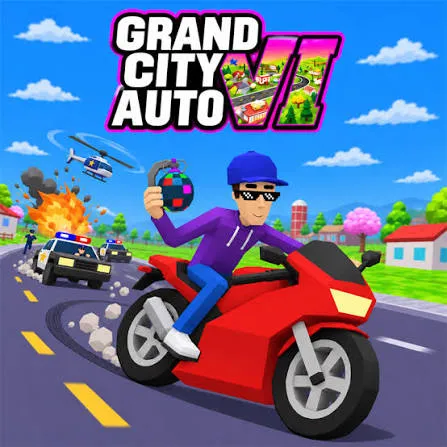
Grand City Auto VI is a 3D open-world action sandbox set in a colorful city full of opportunities. Players can explore different districts, drive various vehicles, complete missions, and escape dangerous police pursuits. The main storyline follows Leo as he attempts to rescue his friend Marco from jail. Free exploration also offers plenty of activities, weapons, and unexpected adventures. Take the wheel, explore every corner, and build your own reputation across the city!
GRAND CITY AUTO VI AND ITS OPEN-WORLD ADVENTURES
Grand City Auto VI features a vast world with four connected neighborhoods, an island, and a snowy North Pole destination. More than 40 vehicles offer various ways to travel, including sports cars, motorcycles, helicopters, jet planes, tanks, and unusual rides. Players can take part in side activities such as taxi jobs, basketball, bowling, stunt challenges, and gift deliveries. Earnings from these activities help fund new vehicle purchases, weapon collections, and useful garage upgrades.
Special Abilities, Police Chases, and Zombie Survival in Grand City Auto VI
Grand City Auto VI combines intense action with several gameplay mechanics that offer different challenges:
- Police Pursuits: Wanted levels range from one to five stars, bringing patrol cars, helicopters, and heavier police units into the chase.
- Weapon Collection: Visit weapon shops to access 18 guns, grenades, and unusual equipment for street encounters.
- Leo's Slow Motion: Activate slow motion to improve aiming accuracy and perform stunts with greater precision.
- Marco's Time Freeze: Unlock Marco after completing his 12-part jailbreak storyline and use his special ability to freeze time completely.
- Zombie Survival: Activate a hidden switch to trigger a survival challenge against waves of zombies.
- Driving Adventures: Experience different driving challenges, from relaxed city cruising to high-speed escapes.
Grand City Auto VI Keyboard And Mouse Controls
- W / A / S / D or Arrow Keys: Move your character on foot.
- Spacebar: Jump or activate the handbrake while driving.
- F: Enter vehicles, open doors, pick up items, and interact with objects.
- Q / E: Switch between available weapons.
- X: Activate Leo's slow-motion ability or Marco's time-freezing power.
- 1 / 2: Switch between Leo and Marco after unlocking the second character.
- Tab / M: Open your phone or view the city map.
- Mouse Movement: Look around and adjust your view.
- Left Mouse Button: Shoot your selected weapon.
- Right Mouse Button: Aim at targets.
- W / S: Accelerate or brake when driving.
- A / D: Steer cars and turn helicopters.
- Left Shift: Activate nitro in compatible vehicles.
- C / R: Change the camera view or reset your vehicle.
- R / F: Adjust an airplane's throttle.
- Arrow Keys: Tilt your helicopter during flight.
- Esc: Pause the game.